.png?width=300&height=149&name=Ulleo%20Logo%20RGB%20Black%20(5).png)
- Scroll to the bottom of the activity page and locate the Assignment Upload section.
- Click Browse and select the file you wish to upload.
- Once your file has been selected, click Upload to submit your assignment.
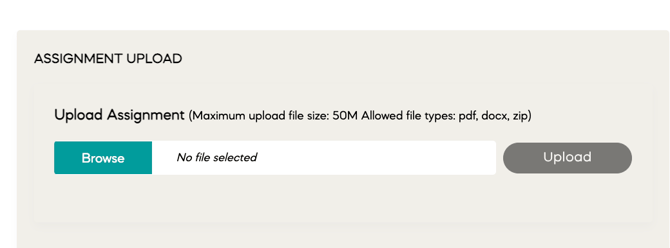
File requirements:
- Maximum file size: 200 MB
- Accepted file types: PDF, DOCX, and ZIP
-
If you have multiple documents or images, combine them into a single ZIP file before uploading.
Having trouble uploading?
If you're experiencing an error when uploading your assignment, please contact one of our friendly Support team members at support@ulleo.com and include:
- A description of the error you're encountering.
- A screenshot of the error message (if possible).
- The name of the activity or assignment you're trying to submit.
This information will help us investigate the issue and assist you as quickly as possible.